Affiliate disclosure: NoviraLane may earn a commission if you purchase through the Higgsfield links in this guide. Check the provider’s current price and offer terms before buying.
An AI video side hustle starts with a skill you can show: making a short, accurate video that helps a business explain its product. You plan the message, create the footage, edit it and deliver a finished piece. An AI tool can help with production; your judgment makes the result useful.
Maybe you have seen a product photo turn into a cinematic clip and thought, “I could learn that.” Good. Give that idea a small finish line. By the end of this guide, you will know how to plan one sample, build toward a three-piece portfolio and test a clear first client offer.
We will use a reusable water bottle as our practice project and Higgsfield as one possible production tool. This is a documented workflow and learning exercise, not a hands-on Higgsfield review or a promise of income. You can complete the planning exercises before buying anything.
1. Choose what your AI video side hustle will sell
If you are researching how to make money with AI videos, start by choosing who would pay for your work and why. A small online store might need short product clips for its social feed. A software company might need a feature explainer. Those are different jobs, with different skills and inputs.
For your first AI video side hustle, try one narrowly defined service: a 12–15 second vertical short-form product-video concept for a small business. Start with a simple object you can photograph yourself. Bottles and desk accessories are useful practice subjects because changes in shape or color are easy to spot.
A business owner needs to understand your offer in one sentence: “I turn approved product photos into short, edited video concepts for your social content.” Later, you can add variations, longer edits or other formats as your process becomes reliable.
| Decision | Starter example | Why it helps |
|---|---|---|
| Buyer | A small desk-accessory shop | You can study one audience and visual style. |
| Deliverable | One vertical product concept | The finish line is easy to describe. |
| Inputs | Approved photos, product facts and brand colors | You know what must stay accurate. |
| Boundary | One revision round; posting and ad spend excluded | Both sides understand the workload. |
Today’s exercise: choose one product and one type of buyer. Write down the problem your video would solve. “They need a clear clip showing the bottle on a desk” is a workable starting point.
2. Learn five skills, then write a brief
You do not need to master an entire filmmaking course before practicing. An AI video side hustle draws on five connected skills: understanding a customer, writing a message, directing a shot, editing and checking your work.
- Customer understanding: name the viewer and the situation. “Someone organizing a home-office desk” gives you more direction than “people who like bottles.”
- Copywriting: write an opening line, one message and a next step. Keep every product claim tied to a fact you can check.
- Visual direction: choose the setting, lighting and movement. Start with one small camera move.
- Editing: learn trimming, captions, audio levels and export settings.
- Review and communication: compare the result with the brief and ask for specific feedback.
A creative brief is just a short agreement about the job
Use this fictional project as your template. It is a portfolio exercise, not a real client’s campaign.
| Question | Our practice answer |
|---|---|
| Who is watching? | Someone personalizing a home-office desk. |
| What are we showing? | A real reusable bottle in a tidy desk setting. |
| What is the message? | A simple everyday desk companion. |
| What action should they take? | Explore the product. |
| What must stay accurate? | Its proportions, cap, material, color and label. |
| What is the finished file? | A 12–15 second vertical concept with readable captions. |
Next, look at five public ads in the same category. Note the opening frame, message, number of shots and final call to action. Study their choices and create your own copy and images. Views and active ads do not prove a campaign made money.
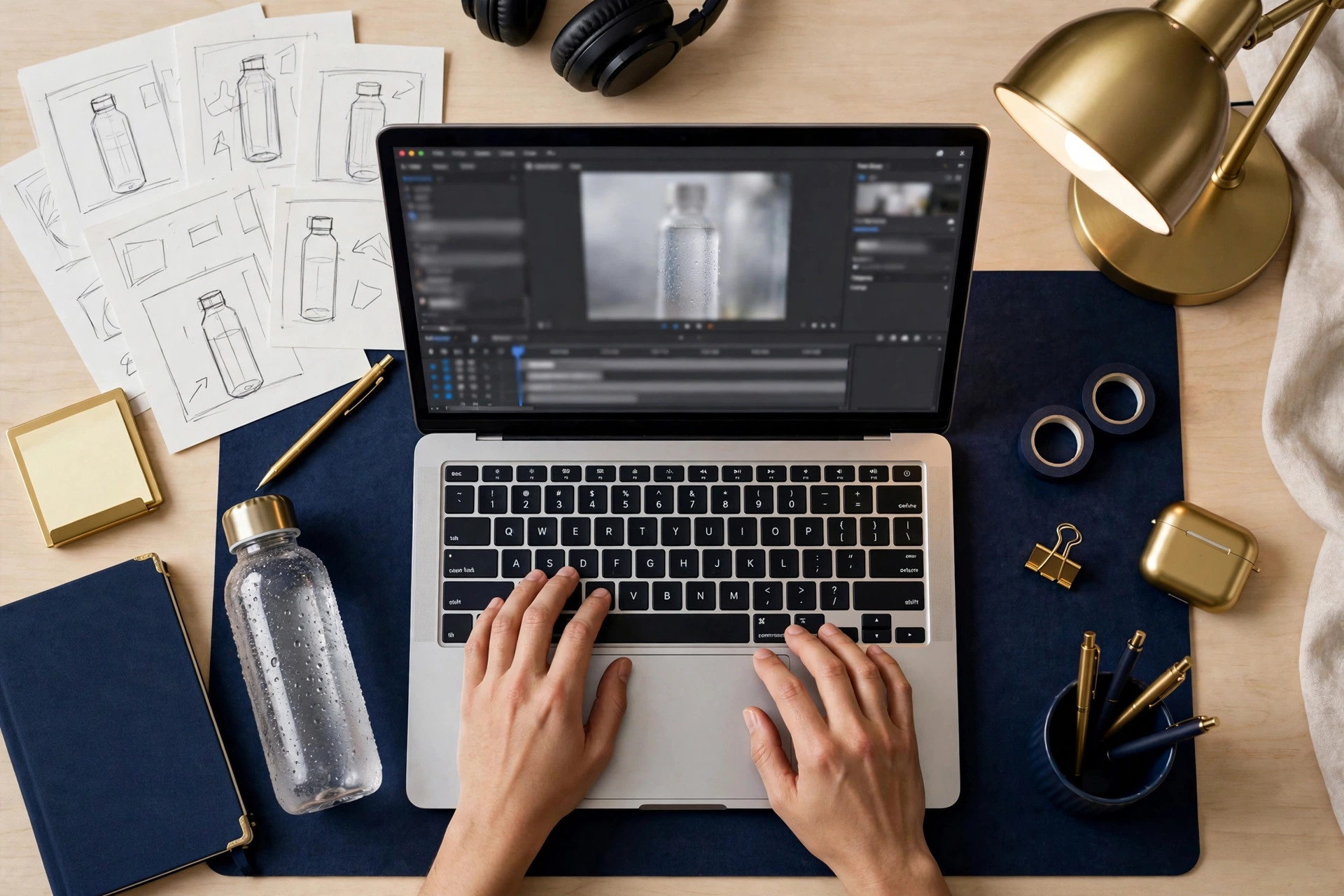
A storyboard turns the brief into three simple shots
A storyboard is a plan for what appears on screen and when. Rough sketches are enough. Here is ours:
| Time | Picture | Text added in editing |
|---|---|---|
| 0–3 seconds | Bottle visible on a clean desk | A small upgrade for your desk. |
| 3–9 seconds | Slow move toward the product | Your everyday desk companion. |
| 9–15 seconds | Stable product frame | Explore the product. |
Read each line aloud. If it feels rushed, shorten it. Your AI video side hustle will become easier to manage when you solve the message before spending generation credits.
3. A beginner Higgsfield AI tutorial: make one controlled draft
Higgsfield’s official Marketing Studio guide describes both template and prompt workflows. You can start with an image or a product link; available categories and controls depend on the workflow. Check the credit cost shown before generating.
For this exercise, photograph your bottle near a window. Keep the full object visible, with a plain background and a sharp label. A clear reference makes comparison easier when you review the result.
- Open Marketing Studio and choose a suitable product-motion or video workflow.
- Upload your own product image, or use a product link you are authorized to use.
- Choose a simple template, or use the prompt path for the shot below.
- Check available duration, aspect ratio, resolution and credit cost. Use 9:16 for this vertical concept where supported.
- Generate a short draft, then compare it with the original photo.
Explore Higgsfield and its current plans (affiliate link). Decide whether it fits your practice budget before subscribing.
A prompt you can adapt
Use the uploaded bottle photo as the reference. Place the same bottle upright on a tidy wooden home-office desk. Preserve its shape, cap, material and color. Use a slow camera push-in, soft window light and natural shadows. Keep the whole bottle visible. No people, added logos or generated text. Leave space above the bottle for a caption added later.
This prompt combines a reference, setting, movement, lighting and constraints. It describes your goal; it cannot guarantee compliance. Inspect the whole clip before accepting it.
| Problem | First adjustment |
|---|---|
| The bottle bends or changes shape | Reduce motion. Try a clearer reference or a still-image edit. |
| The label becomes distorted | Use the authentic product photo for the detail shot. |
| The background distracts | Remove props and describe one plain setting. |
| The movement feels unnatural | Try a shorter, smaller camera move. |
Keep a generation log: model, prompt, settings, credits spent and why you accepted or rejected the output. Set a practice limit before you start. An AI product video generator is easier to budget for when you measure accepted clips as well as attempts.
4. Edit the clip into something useful
Your AI video side hustle needs a repeatable AI video editing routine. Use an editor you already have access to and learn five actions: assemble, trim, caption, balance sound and export.
First, arrange your shots using the storyboard. Remove awkward openings and endings. A real product photo can serve as the closing frame if the generated ending is inaccurate.
Next, add short captions with strong contrast. Keep them away from platform buttons and check the intended placement’s preview. Watch without sound: is the product and next step still clear?
Then check audio. Use music and voices you have permission to use. Keep speech easy to hear and avoid sudden changes in volume. An attractive soundtrack cannot rescue a confusing message.
Finally, export a vertical file; 1080 × 1920 is the practice target if supported by your source and editor. Open the exported file on a phone. Check the actual delivery file, not just the timeline preview.
Your client-readiness checklist
- The product stays accurate throughout the clip.
- The captions are readable without pausing.
- The message makes sense with the sound off.
- Photos, music, voices and likenesses are authorized.
- The duration and format match the agreed brief.
- A viewer can explain what the video is about after watching once.
Ask someone to watch before you explain it. What did they remember? If their answer misses the product or message, revise that part. This feedback is more useful than generating ten extra versions without a clear question.
5. Build a portfolio that shows your thinking
A small portfolio can show that your AI video side hustle has a process. Make three variations of the same product: a calm lifestyle shot, a close-up detail concept and a version with a different opening line.
For each sample, include the brief, your creative decision and the finished clip. Add one sentence explaining what you improved. For example: “I replaced the moving close-up with a real photo because the generated label was inaccurate.”
Label practice work clearly: “AI-assisted portfolio concept; not commissioned by the brand.” Use your own imagery or get permission. Your examples do not need invented sales figures or testimonials to demonstrate care. You can even package reusable templates — our Gumroad digital products guide covers selling them.
Before selling, try making a new sample from a fresh brief. Can you estimate the time, reproduce the quality and explain the limitations? If not, spend another week practicing. That is a useful decision, not a failure.
6. Price your AI video side hustle using real costs
To make money from AI videos, the amount a client pays must justify the time and expenses involved. Record failed generations, editing, calls, revisions and delivery. Leaving them out makes a quote look healthier than the job really is.
Planning formula: estimated hours × your target labor rate + project expenses + a defined revision allowance.
| Hypothetical pilot calculation | Amount |
|---|---|
| Four hours at an assumed $20/hour | $80 |
| Allocated generation and editing expenses | $15 |
| Allowance for one revision round | $25 |
| Illustrative quote | $120 |
This is a practice calculation, not a market rate or income forecast. If actual expenses are $15 and the job takes five hours, $105 remains before fees and taxes, equivalent to $21 per working hour. Add prospecting and administration time when judging the return across your whole business.

Higgsfield pricing: check the commitment and the usable output
The Higgsfield AI subscription price is only one part of your budget. On the official pricing page and checkout, confirm the billing period, amount charged now, renewal price, included credits and access to your chosen workflow. This guide does not reproduce a price table that could become outdated.
A displayed monthly equivalent can require an annual payment. An “unlimited” offer may apply only to specified models or a limited period. Check those details before using an offer to budget for a client.
Also calculate your effective Higgsfield cost per accepted clip. As an illustration, $18 of generation spending divided by three accepted clips is $6 per clip. Editing and other expenses are additional. Rejected outputs still belong in that calculation.
Write a pilot package with clear boundaries
One 12–15 second vertical product-video concept for one product, using approved images and copy. Includes captions and one revision round. Delivery date agreed after the brief is approved. Posting, advertising spend and campaign management are separate.
Once a pilot goes well, some creators expand into monthly video editing services for the same client. Confirm payment terms, file format and how AI will be used. Higgsfield’s published ownership guidance says it does not claim ownership of outputs or restrict their commercial use. That does not clear third-party photos, trademarks, music or likenesses for you; verify your permission to use the inputs.
7. Find a first client with a specific idea
The next stage of your AI video side hustle is a small demand test. Look for a relevant business whose product and style you understand. Review its existing content and write down one concept that would fit. If the business has no website yet, our web design side hustle guide is a natural companion skill.
Prepare a short list of suitable prospects. Many beginners find their first freelance clients on platforms like Fiverr and Upwork, but a direct, personalized pitch to a business you have researched often converts better. For example, a shop with strong bottle photos may be a fit for a short desk-scene concept.
Hi [Name], I noticed your [product] and had an idea for a short video showing [specific angle]. I create AI-assisted product-video concepts using approved photos. Here is a labeled sample of my style: [portfolio]. Would a small paid pilot be useful? I can send the scope and price.
If someone is interested, ask where the video will run, who it should reach, which claims are approved and who reviews the draft. If the buyer wants AI video ads, clarify that producing creative assets does not guarantee sales or include running the advertising campaign.
Track relevant contacts, replies, brief requests and paid pilots. If nobody responds, revisit your targeting, samples and offer. If clients respond but revisions overrun, improve the brief and scope. These observations show what your AI video side hustle needs next.
Your 30-day AI video side hustle roadmap
Give each week one clear job. Move forward when the work meets the standard, even if that takes longer than this suggested schedule.
| When | Practice | Finish with |
|---|---|---|
| Days 1–7 | Choose one product category, study five ads, write three hooks, a brief and a storyboard. | A specific project and a fixed practice budget. |
| Days 8–14 | Create short drafts, log failures, edit and get feedback. | One accurate, complete sample. |
| Days 15–21 | Create two variations, explain your decisions and calculate a quote. | Three labeled samples and a starter offer. |
| Days 22–30 | Contact a small set of suitable businesses. If a buyer agrees, deliver a scoped pilot. | Evidence about demand, delivery time and actual costs. |

A one-hour practice session
Spend 10 minutes reviewing the brief, 30 minutes creating or editing, 15 minutes checking the result and five minutes recording what changed. If generation queues take longer, use that time to work on scripts or review earlier footage.
Decide whether to continue, adjust or pause
- Quality improves, but no sales: refine the offer and prospects while controlling spending.
- A pilot goes well: compare the estimate with actual hours, request honest feedback and ask permission before showing client work.
- Accuracy remains poor: simplify the scenes or use more authentic product footage.
- Costs keep exceeding the budget: pause generation and identify what is failing before buying more credits.
A useful first month may produce skills and evidence without revenue. Your AI video side hustle is a business experiment, and those observations help you decide where to spend the next month.
AI video side hustle: beginner questions
How do beginners make money with AI videos?
One approach is to sell a defined creative service: plan, generate, edit and deliver a product-video concept. Build samples first, agree on scope and charge for work you can deliver reliably. Income depends on finding buyers and controlling costs.
Can I start without paying for a tool?
You can research buyers, write briefs, sketch storyboards and practice editing your own photos before subscribing. Check current free allowances, export limits and credit costs in any tool you choose. Free practice does not mean every production workflow is free.
Is Higgsfield AI worth it for a beginner?
Judge it against your brief and budget: can you produce accurate, usable clips at a cost you can support? Compare the time and total expense with filming the real product or editing still photos. Test a small project before committing to a larger plan.
Can you make money with AI-generated videos on YouTube?
AI-assisted production alone does not establish monetization eligibility. This client-service route is also different from running a faceless YouTube channel, where income depends on ads and watch time rather than delivered work. YouTube’s monetization policies require original, authentic content and exclude repetitive or mass-produced content. Follow its AI disclosure requirements when applicable. Building a channel is a separate route from the client service taught here.
Do I need a discount code?
No. Decide whether the workflow is useful first. Any Higgsfield discount depends on the current offer, eligibility and billing terms. Our affiliate link does not guarantee an additional coupon or a lower price.
Is an AI video side hustle passive income?
Client work involves planning, communication, production and revisions. Tools may speed up parts of that work, but you still need to find buyers and deliver a dependable result.
Your next move: finish one small project
Choose a product today. Write one audience, one message and one action. Sketch three frames. Then create a draft you can review and improve.
Of all the AI side hustle ideas you could try, this one rewards finished work you can show. Your AI video side hustle has a stronger foundation when you can point to finished work and explain how you made it. Start with that. Build the skill, keep your costs visible and give a buyer a clear reason to try your service.
Explore Higgsfield for your first practice concept (affiliate link), or complete the brief before choosing a tool. For more ideas, visit NoviraLane.